Quick answer
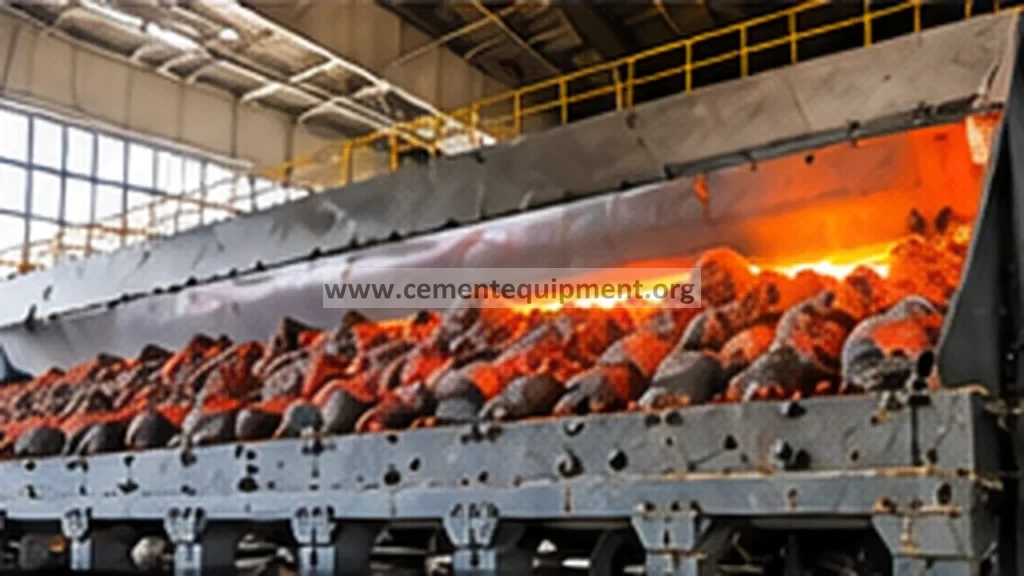
A red-hot or abnormally hot zone on a clinker cooler grate is not a reason to increase fan air blindly. Treat it as evidence of poor local heat transfer or abnormal clinker-bed behavior. First map the hot zone against cooler compartment, grate row and process trend; then separate low air delivery, blocked or damaged aeration paths, uneven clinker distribution, snowman or large-clinker loading, grate leakage and mechanical damage before changing operating settings.
Problem / job
Local grate plates, side walls or clinker zones run visibly hotter than neighboring areas, threatening grate life and cooler stability.
Evidence
Use cooler-camera pattern, under-grate pressure, fan condition, clinker-bed depth, compartment behavior and shutdown inspection marks together.
Decision
Decide whether the primary cause is air delivery, air distribution, clinker distribution, blockage, leakage or damaged hardware before intervening.
As-found evidence capture
Freeze the operating picture before adjustments. Record kiln feed, clinker temperature trend, cooler speed or stroke, bed-depth indication where available, each relevant cooling-fan current and damper or speed command, under-grate compartment pressure, cooler vent condition and the exact location of the hot zone. Save thermal-camera or CCTV images with time stamps. Compare the affected zone with adjacent lanes and compartments. A single hot strip, a broad hot patch and a hot discharge-end condition are different fault signatures.
Do not rely on colour alone. Camera exposure, dust and viewing angle can exaggerate apparent temperature. Confirm the pattern with available plant instrumentation and, during a safe shutdown, with physical evidence such as discoloured plates, clinker infiltration, warped components, blocked openings and unusual wear. Follow the cooler OEM and plant safety procedure for all inspection and isolation work.
Seven-step troubleshooting workflow
1. Locate the thermal pattern precisely
Map the hot area to the cooler grid: inlet, transition or discharge zone; left, centre or right lane; and the corresponding under-grate compartment. Determine whether the pattern moves with process changes or remains fixed to one physical location. A fixed hot spot points more strongly toward local air-distribution or hardware problems, while a moving pattern can indicate clinker segregation or unstable bed loading.
2. Compare air delivery with neighboring compartments
Check fan running state, motor current, speed command, damper position and under-grate pressure against comparable healthy sections. Look for a fan that is commanded normally but produces abnormal pressure response. Inspect filters, inlet restrictions, duct leakage, flexible connections and non-return devices according to the installed design. Do not assume that high motor current proves adequate airflow.
3. Check bed depth and clinker distribution
Uneven kiln discharge can overload one lane while another remains thin. Review cooler inlet images and bed-depth trends. Look for large clinker, snowman fragments or persistent segregation. A deep local bed raises airflow resistance and can create a hot zone even when the fan itself is healthy. Correct the distribution cause rather than compensating indefinitely with excess air.
4. Separate blocked aeration from leakage
Restricted grate openings, packed clinker or internal deposits reduce useful air through the bed. Conversely, damaged seals or open leakage paths can consume fan capacity without cooling the clinker where required. During shutdown, inspect the affected grate row, aeration elements, seals and under-grate chamber. Compare deposits and wear with adjacent healthy rows.
5. Inspect grate plates and moving hardware
Check for cracked, warped, displaced or severely worn plates and for evidence of clinker bypass. Inspect retainers, supports and movement components applicable to the cooler type. Mechanical interference can change local bed transport and expose hardware to abnormal heat. Use OEM wear limits and assembly clearances; do not invent generic tolerances because cooler designs differ materially.
6. Correlate with upstream process events
Review kiln upset history, coating or ring events, free-lime excursions, large-clinker episodes and sudden feed changes. A cooler hot zone may be the downstream symptom of abnormal clinker size or kiln discharge rather than a cooler-only fault. Correlation in time prevents replacing cooler components that are reacting to an upstream disturbance.
7. Make one controlled correction and verify
After the cause is identified, restore the defective air path, mechanical condition or clinker distribution using the approved maintenance or operating procedure. Restart with monitoring focused on the previously affected location. Change one major variable at a time where operationally practical so the response remains interpretable.
Evidence-to-decision table
| Evidence | Likely direction | Next check |
|---|---|---|
| Fixed hot patch plus weak compartment-pressure response | Air delivery or major leakage | Fan, inlet, duct, damper, chamber and seals |
| Fixed hot patch with normal fan behavior | Blocked aeration or local hardware damage | Grate openings, deposits, plates and internal air path |
| Hot zone follows deep or coarse clinker bed | Clinker distribution / resistance | Inlet distribution, large clinker, transport behavior |
| Hot area appears after kiln upset | Upstream process contribution | Kiln discharge, clinker size and event timeline |
| Repeated local damage after repair | Root cause not removed | Air balance, leakage, bed loading and mechanical alignment together |
Verification and return-to-service criteria
Return the cooler to normal service only when the repaired area shows a stable thermal pattern relative to neighboring zones, relevant fan and compartment responses are credible, clinker transport is stable, and no new abnormal mechanical indication appears. Verify that the hot zone does not re-form as kiln feed and cooler load return to normal. Confirm repaired plates, seals and aeration elements are secure at the next safe inspection opportunity. Acceptance values must come from the cooler OEM, commissioning baseline or plant-approved operating envelope rather than universal numbers.
Common mistakes that create repeat failures
- Adding more air without diagnosis: this can hide leakage or distribution problems and disturb cooler efficiency.
- Replacing only the visibly damaged plate: recurring damage usually means the thermal or mechanical cause remains.
- Ignoring kiln-discharge history: abnormal clinker size and distribution can reproduce the same hot zone.
- Trusting one instrument: pressure, fan current, camera pattern and physical inspection should agree before a conclusion is accepted.
- Using generic clearances: grate geometry and allowable wear are cooler-design specific; use the OEM documentation.
Related guides
Technical reference discipline
This workflow intentionally avoids universal temperature, pressure, wear or clearance limits. Use the installed cooler OEM manual, fan curves, commissioning records and plant baseline for numeric acceptance. The diagnostic value comes from comparing the affected zone with its own healthy baseline and adjacent sections under comparable load.
Need deeper cement-plant maintenance references?
This guide is part of the practical knowledge behind the Infinity for Cement Organization technical package: 900+ technical files, a one-time $249.99 purchase, instant download immediately after payment, and lifetime updates forever at no additional cost.